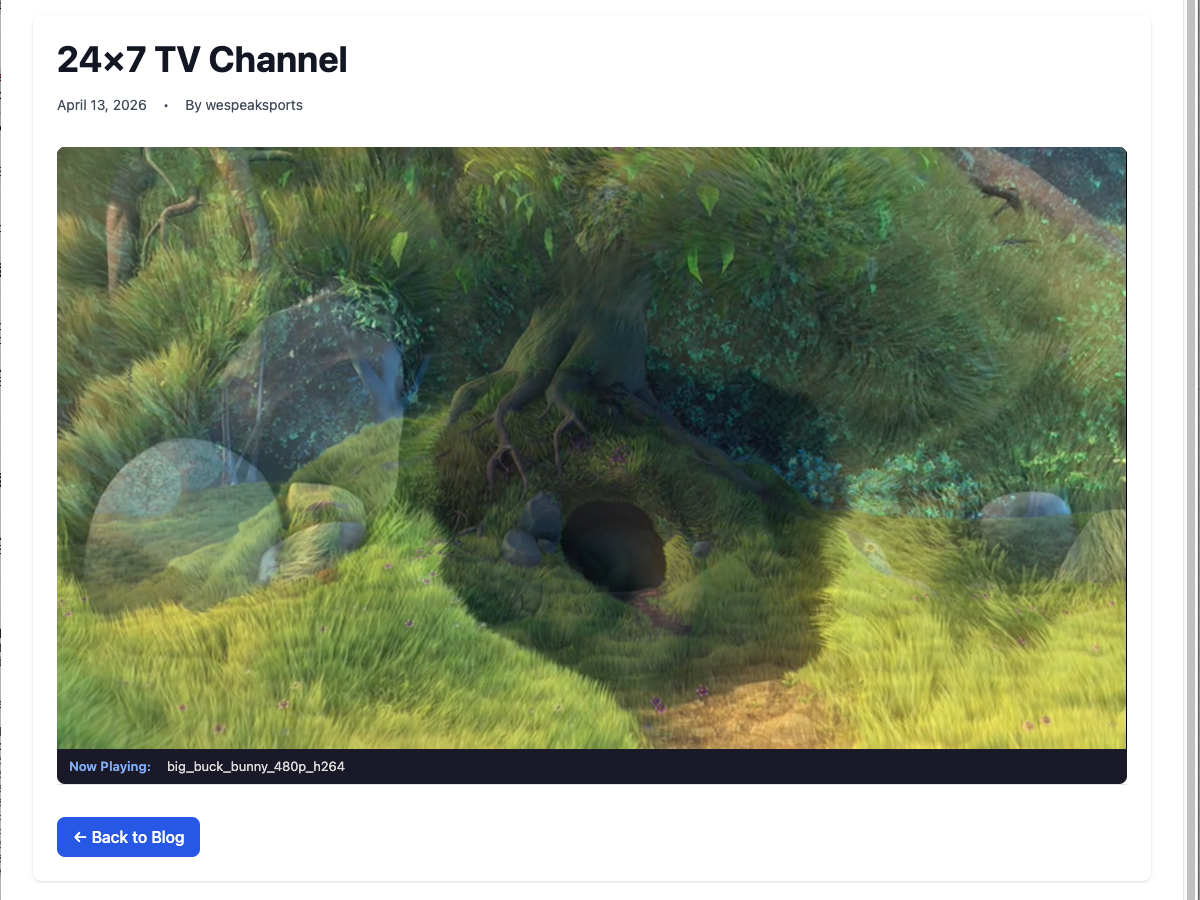
Your YouTube channel is not a TV channel.
It's a pile of videos. Discrete uploads, sorted by date or by whatever the algorithm thinks your viewer wants next, waiting for someone to click. A real TV station is always on. Someone tunes in at 3pm, something's already airing. At 8pm, something else. There's programming, identity, continuity. People don't watch a channel the way they watch a video. They tune in.
That's a bigger problem than it looks. Your audience spent years learning what YouTube is. You learned what YouTube is. What neither of you has yet is a station.
Second problem. When a reader clicks the embedded video in your article, they go to youtube.com. Ten related videos load in the sidebar. The algorithm recommends something from somebody else's channel. Ten minutes later they're three hops away from you. You paid for the traffic that brought them to your site, and YouTube kept the attention.
Third problem. Nobody at YouTube is on your side. They set the rules for what gets monetised, what gets age-gated, what gets recommended, what gets taken down, what counts as advertiser-friendly this month. Whatever the reason you started broadcasting on infrastructure somebody else owns, you've probably felt at some point that you don't really own the channel.
You can fix all three of those things on your WordPress site. This guide walks through it.
What a 24/7 channel actually costs
Streaming has three recurring costs whether it's on-demand or linear. Transcoding every asset into adaptive formats. Storing the encoded segments at multiple bitrates. Bandwidth to deliver those segments to viewers. A 24/7 channel faces them continuously: encoding happens as your library grows, segments stay online for every asset in rotation, and bandwidth is billed every hour somebody's tuned in.
YouTube hides those costs behind ad-revenue sharing and control over your audience. Vimeo and similar hosted platforms bill a subscription that scales with storage and bandwidth. Manageable until you grow, expensive when you do. Running your own origin server on AWS or a VPS puts all three on your monthly bill whether anyone's watching or not.
The WebTV & WebRadio plugin splits the workload. Transcoding and playlist generation run on iReplay.TV's infrastructure. Your media segments live on your own WordPress site and are served from your own domain. Billing is based on concurrent-viewer peak, the one metric that actually tracks audience value rather than how many hours you've encoded or how many gigabytes are sitting in cold storage.
Plans start free. The free tier is one channel and up to five concurrent viewers, which is enough to test with a small audience and not enough for real traffic. Paid plans begin at 25 concurrent viewers and scale from there. Current pricing is on the setup page.
Get your WordPress TV channel running in under an hour
1. Install the plugin
Download the plugin ZIP from the setup page. In your WordPress admin, go to Plugins → Add New → Upload Plugin, select the ZIP, install, and activate. Once the plugin is approved on WordPress.org, a direct search in Plugins → Add New will find it too.
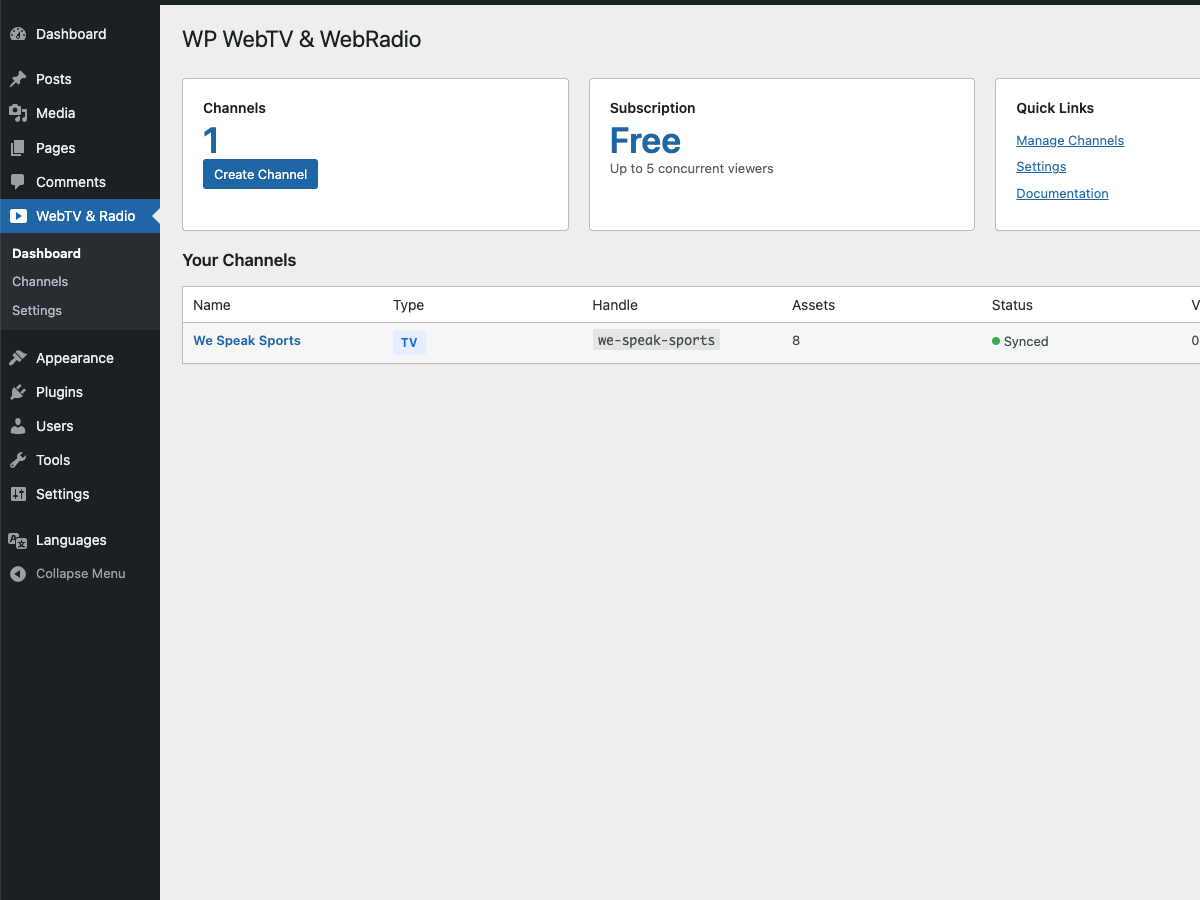
The plugin dashboard immediately after activation, before any channels exist.
2. Connect to iReplay.TV
Go to WebTV & Radio → Settings, paste your API key and secret, click Test Connection. If you don't have credentials yet, create a free account and copy them from your account page.
One behaviour worth noting if your security team watches plugin activations closely: the plugin makes no outbound requests until you save valid credentials. It stays dormant on activation. No phone-home, no heartbeat, no registration ping. Background cron jobs are only scheduled once you connect the site to an account.
3. Create your channel
WebTV & Radio → Channels → Add New. Pick the channel type (WebTV for video). Give it a name like "Daily News" or "Archive Interviews", whatever identity your station has. Add a handle (used in the shortcode and the public URL), a language, and an age rating.
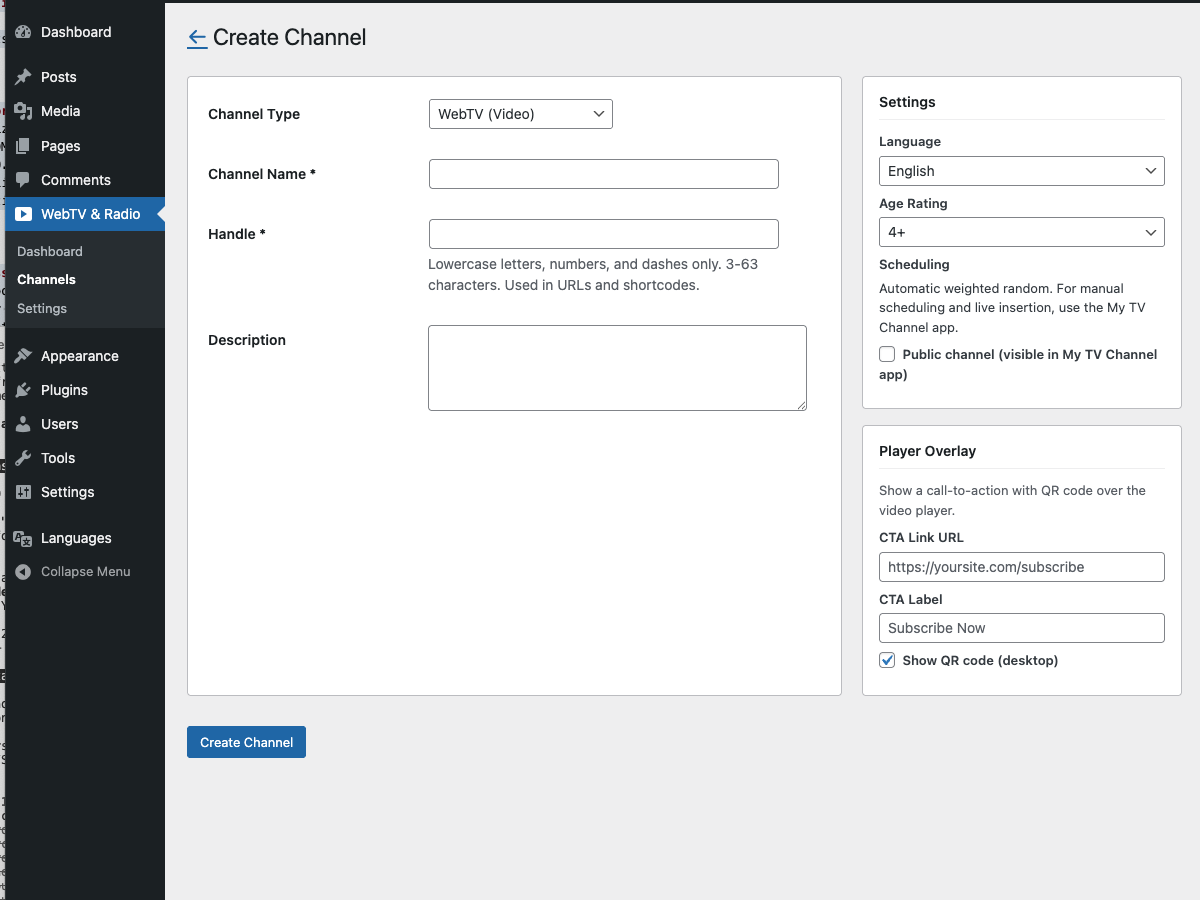
Channel creation form. The right column sets the language, age rating, public visibility, and optional player-overlay call-to-action.
One setting matters for distribution later. The Public channel checkbox. When ticked, the channel is automatically listed in the My TV Channel app ecosystem (iOS, iPadOS, tvOS, macOS, Web; Android in development). Viewers can then tune in from a dedicated TV-style app without any extra setup on your side. More on that in the Upgrade Path section below.
4. Upload your library
Click Manage Assets on the new channel and drag video files onto the dropzone. MP4, MOV, MKV, WebM are accepted. The plugin chunks uploads so large files survive shared-host timeouts, then submits each file to iReplay.TV for transcoding into adaptive HLS (1080p, 540p, and audio-only variants).
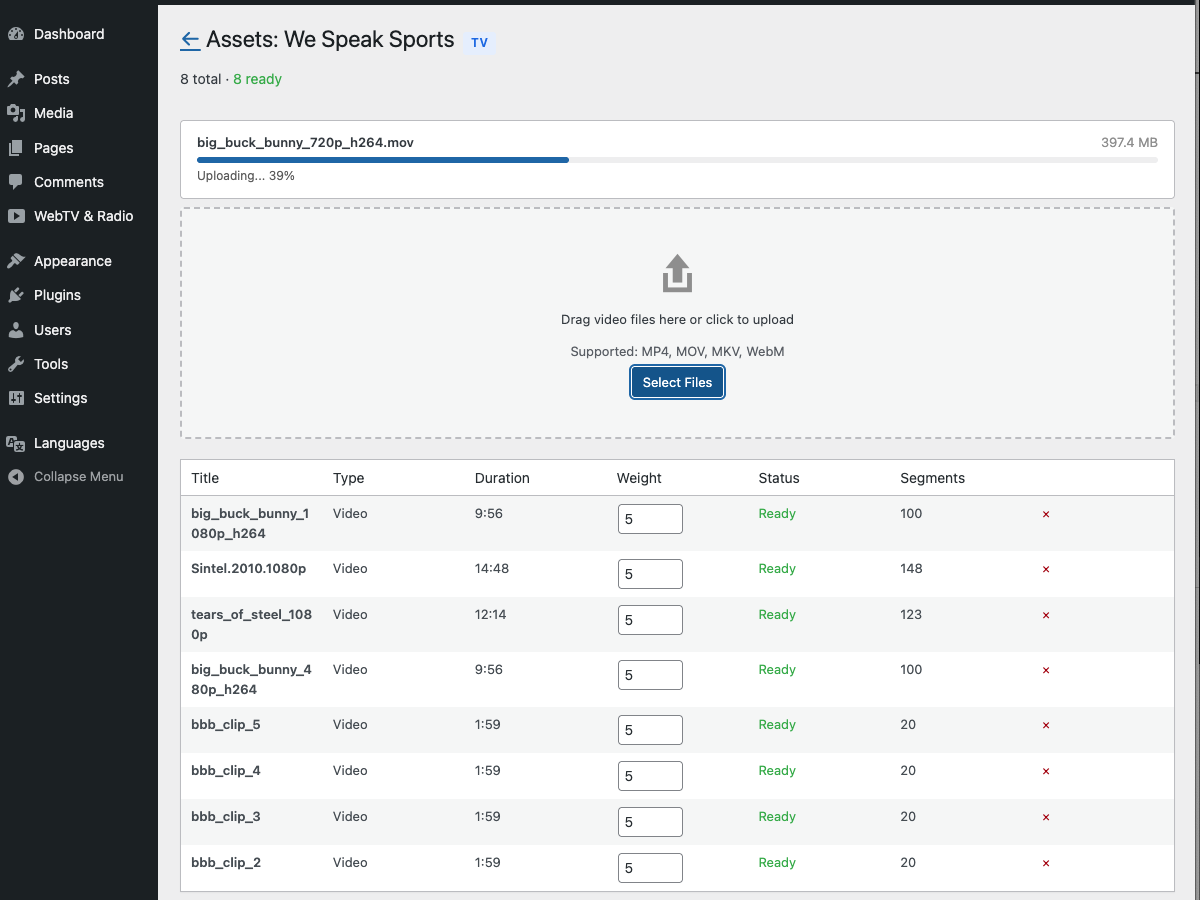
Chunked upload with progress per file, then each file transitions through Uploading, Transcoding, Ready.
Each asset has a weight from 0 to 10. The scheduler picks the next item from your library based on these weights. An asset with weight 10 airs roughly ten times more often than one with weight 1. In practice, your flagship shows go to ten. Older or B-grade content goes to three or four. Archive curiosities go to one: present but rare.
Once you have four ready assets totalling at least fifteen minutes of runtime, the scheduler auto-generates a 48-hour lookahead and the channel goes live. Two viewers tuning in at different hours see different orderings, nothing repeats too often, and you don't have to think about a programming grid. Weighted-random sounds boring and turns out to be enough to feel like a programmed station for most editorial use cases.
5. Embed the player
On any WordPress post or page, drop in the shortcode:
[ireplay-tv channel="your-handle"]That's the integration. Autoplay, muted, controls, width, height: all override-able as shortcode attributes. The player uses hls.js where the browser doesn't support HLS natively (Chrome, Firefox, Edge on desktop) and falls back to the browser's own HLS player on Safari and mobile.
Refresh the published page and the channel is airing. Viewers tuning in at different times land at different positions in the 48-hour window. You have a station.
Where it goes from here
Weighted-random scheduling is enough for most editorial 24/7 channels. If your station grows into a programming grid with a morning show, a prime-time block, Sunday archive hours, you'll want real timeline control. iReplay.TV's companion app, My TV Channel, is exactly that. A visual timeline, drag-and-drop show blocks, live-insertion support, and automatic failover to the shuffle if a live stream drops. It runs on iOS, iPadOS, tvOS, macOS, and Web today, with Android in development. A single switch in the plugin publishes your channel to its ecosystem.
Dedicated native apps on smart TVs work because the plugin delivers a standard HLS stream, so any HLS-capable app on any TV plays it. For a branded app with your station's name on the Roku channel grid, your logo on the Fire TV home screen, your channel as a launch tile on an Apple TV, iReplay.TV builds white-label native apps through vendredi-app. That's a commercial engagement rather than an out-of-the-box flow, but the path is available on day one if it's critical to your reach.
On monetization: the plugin ships with one sponsor-overlay CTA per channel. A single link, always visible, with an optional QR code for mobile viewers scanning with their phone. It works for a "sponsored by" banner in the style of community radio, a permanent affiliate link, or a call-to-subscribe on your newsletter. For commercial breaks, upload bumpers and pre-rolls as regular assets with high weights and the scheduler interleaves them into the rotation.
For programmatic ad inventory via server-guided ad insertion (SGAI) or Apple HLS Interstitials, iReplay.TV supports both on the backend. Customers with ad-server integrations (Google Ad Manager, FreeWheel, SpringServe) enable it with a support request. The plugin is agnostic to how the stream is assembled upstream.
Per-asset CTAs, so a documentary links to its companion book while an interview links to a follow-up podcast, are on the plugin's near-term roadmap. If it's critical to your use case, the setup page has a way to say so.
Membership and paywalls live outside the plugin. Stack it with MemberPress, Restrict Content Pro, or WooCommerce Memberships. The plugin delivers the stream, your membership tool decides who sees the page it's embedded on.
The hour that changes what your channel is
If you've read this far, you're past the question of whether a 24/7 channel matters to your audience. The question is whether you want it on your own site, where you own the URL, the viewer doesn't leave for a competitor's grid of suggestions, and nobody else decides what can be broadcast on it.
Install the plugin and create a free channel on ireplay.tv. Five concurrent viewers on the free tier is enough to upload your first batch of videos, try weighted-random scheduling, and check the embed on a staging page. If it fits the way your station should work, paid plans start at 25 concurrent viewers and scale with your audience.
Running an audio channel too? Part two of this guide is now live: How to run a 24/7 WordPress radio station (without a VPS or a podcast host). Same plugin, same workflow, different player. It covers spoken-word station setups, why server-guided audio ads beat podcast pre-rolls on un-skippability, and the music-licensing considerations that video content doesn't have.
FAQ
Will this work with my WordPress theme?
The shortcode renders a standard HTML5 video element wrapped in a lightweight container, and every modern theme displays it correctly. The player is fully responsive and scales to the container width you place it in. Twenty Twenty-Four, Astra, GeneratePress, Blocksy, and Kadence are all tested, with no known theme conflicts. If you see styling issues, they're almost always resolved with two lines of CSS targeting .jewebtv-tv-container.
What about caching plugins like WP Rocket, W3 Total Cache, LiteSpeed?
The HTML page can be cached normally. The player fetches the stream token and playlist at page load, so a cached page works fine for the viewer. Don't cache or minify the HLS segments themselves (files ending .m4s, .ts, .m3u8) since those are streaming data, not static assets. Most caching plugins already exclude media extensions by default. If yours doesn't, add an exclusion rule for the /wp-content/uploads/ireplay/ path.
What's the catch on the free tier?
Five concurrent viewers. A small launch podcast or a niche evening-hour stream might live inside that ceiling. A media brand with an existing audience won't, and you'll land on a paid tier before real traffic hits. The free tier is built for setup, testing, and personal-project scale. Be realistic about the limit when planning your launch.
Can I migrate my YouTube library?
Yes, with one asterisk: you need the original master files, not YouTube's re-encoded copies. If you have the source MP4s archived locally, upload them directly. If the only copies you have are whatever YouTube currently hosts, tools like yt-dlp can download them back, but quality won't match your originals. For new content going forward, upload to your WordPress site through the plugin first, then syndicate to YouTube second.
Do I need a CDN?
Not for the first handful of viewers. Beyond that, yes. HLS segments benefit significantly from CDN delivery, both for latency and for protecting your origin server from burst traffic. iReplay.TV's paid tiers include CDN delivery automatically. If you want to put your own CDN (Cloudflare, Fastly, etc.) in front of the plugin's segment URLs, contact support. It's a supported setup.