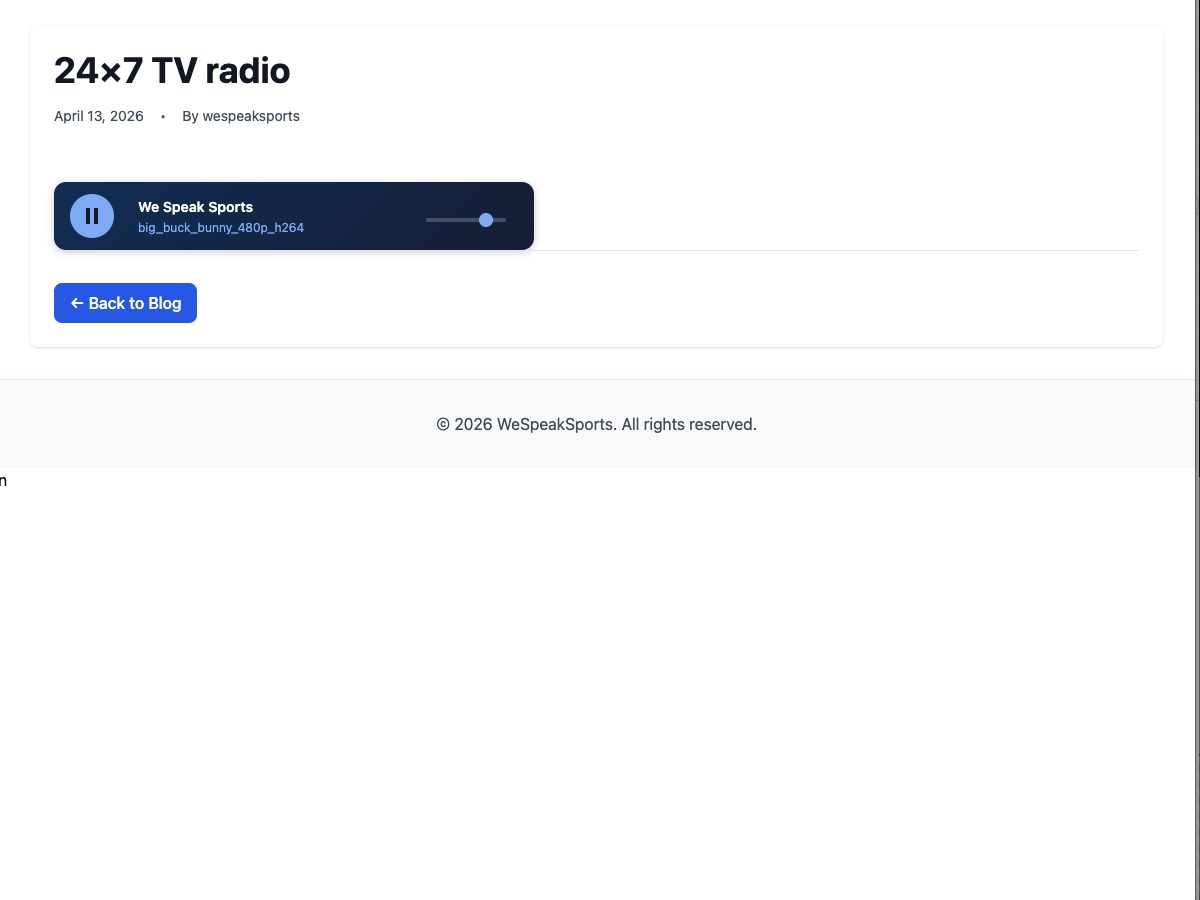
Your podcast feed is not a radio station.
It's a list of discrete episodes, published on a schedule, ordered by date, waiting for a listener to tap play. A radio station plays continuously. Someone turns it on while cooking, they hear whatever's already on. An hour later they turn it off without having chosen any individual thing. The next day they come back. Nobody plays an episode. They tune in.
That's a bigger problem than it looks for anyone running editorial audio. Your podcast audience spent years learning that "press play on the latest episode" is what audio looks like. The always-on, background-companion role that terrestrial radio and streaming music occupy, from talk radio to rolling news to a curated playlist that never runs out, isn't something an RSS feed of episodes fills.
Second problem. When a listener clicks your article to play the embedded podcast episode, the player opens on spotify.com or apple.co, or whatever platform the episode was syndicated to. The play ends. Their podcast app, not yours, suggests what to listen to next. You paid for the traffic that brought them to your site, and a platform kept the attention.
Third problem, for anyone who's gone the other direction and self-hosted. You swapped platform lock-in for sysadmin time. An Icecast or AzuraCast server on a VPS somewhere. An AutoDJ script. SSL certs to renew. Ports to open. A dashboard only you know how to use. Control, yes, at the cost of a standing maintenance burden that isn't what you signed up for when you decided to run a station.
You can have the thing that sits between those poles: your own station, on your own WordPress site, without the VPS. This guide walks through it.
The three costs of running 24/7 audio
Streaming at any scale has three recurring costs, whether it's on-demand podcast episodes or a linear radio stream. Transcoding every asset into adaptive streaming formats. Storage for the encoded segments. Bandwidth to deliver those segments to listeners. A 24/7 radio channel faces them continuously. Encoding happens as your library grows. Segments stay online for every asset in rotation. Bandwidth is billed every hour somebody's tuned in, and for radio a dedicated listener can sit on a stream for a whole working day.
Audio is forgiving on the per-listener cost because bitrates are small. A 160 kbps AAC stream is a fraction of what a 1080p video costs to deliver. But radio listens are long, so bandwidth stops being the free-lunch dimension once you have a real audience. Storage and transcoding are still real line items.
Podcast platforms (Spotify for Podcasters, Acast, Buzzsprout, Podbean) hide these three costs behind ad-revenue sharing, subscription tiers, or both. Mixcloud pays royalties on your behalf and limits how your stream can be consumed. Icecast and AzuraCast let you run the whole thing yourself, which is free in software but expensive in time: a VPS that never goes idle, a distro that needs patching, a deployment that needs monitoring.
The WebTV & WebRadio plugin splits the workload. Transcoding and playlist generation run on iReplay.TV's infrastructure, while your audio segments live on your own WordPress site and are served from your own domain. Billing is based on concurrent-listener peak, the one metric that actually tracks audience value rather than how many hours you've encoded or how many gigabytes are sitting in cold storage.
Plans start free. The free tier is one channel and up to five concurrent listeners, which is enough to test and not enough to carry real traffic. Paid plans begin at 25 concurrent listeners and scale from there. Current pricing is on the setup page.
Get your WordPress radio station running in under an hour
1. Install the plugin
Download the plugin ZIP from the setup page. In your WordPress admin, go to Plugins → Add New → Upload Plugin, select the ZIP, install, and activate. Once the plugin is approved on WordPress.org, a direct search in Plugins → Add New will find it too.
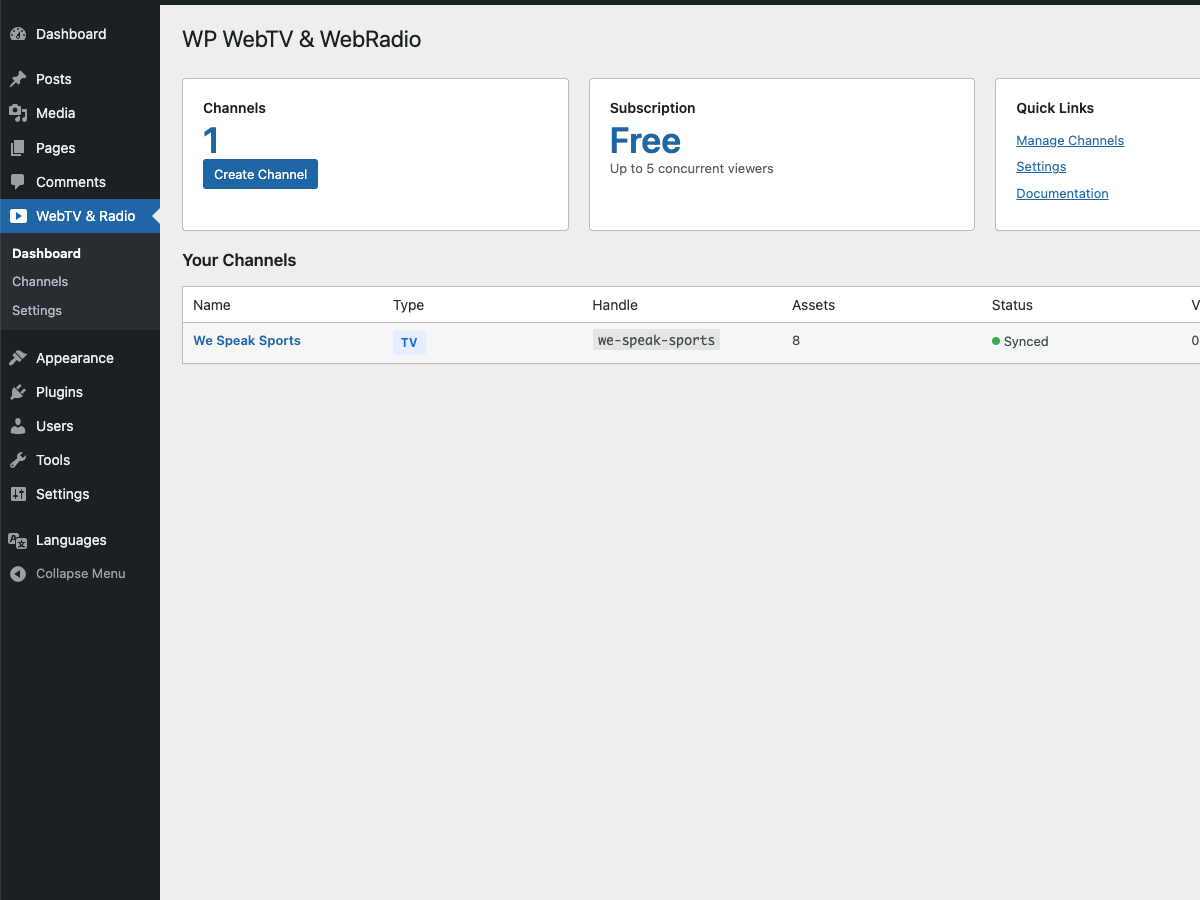
The plugin dashboard immediately after activation, before any channels exist. The same dashboard handles both WebTV and WebRadio channels.
2. Connect to iReplay.TV
Go to WebTV & Radio → Settings, paste your API key and secret, click Test Connection. If you don't have credentials yet, create a free account and copy them from your account page.
One behaviour worth noting if your security team pays attention to plugin activation: the plugin makes no outbound requests until you save valid credentials. It stays dormant on activation. No phone-home, no heartbeat, no registration ping. Background cron jobs are only scheduled once the site is connected to an account.
3. Create your WebRadio channel
WebTV & Radio → Channels → Add New. Pick WebRadio as the channel type. This tells the plugin to transcode uploads as audio-only, skip the video variants, and render the shortcode with the audio player. Give the channel a name like "Drivetime News" or "Long-form Interviews", whatever identity your station has. Add a handle (used in the shortcode and the public URL), a language, and an age rating.
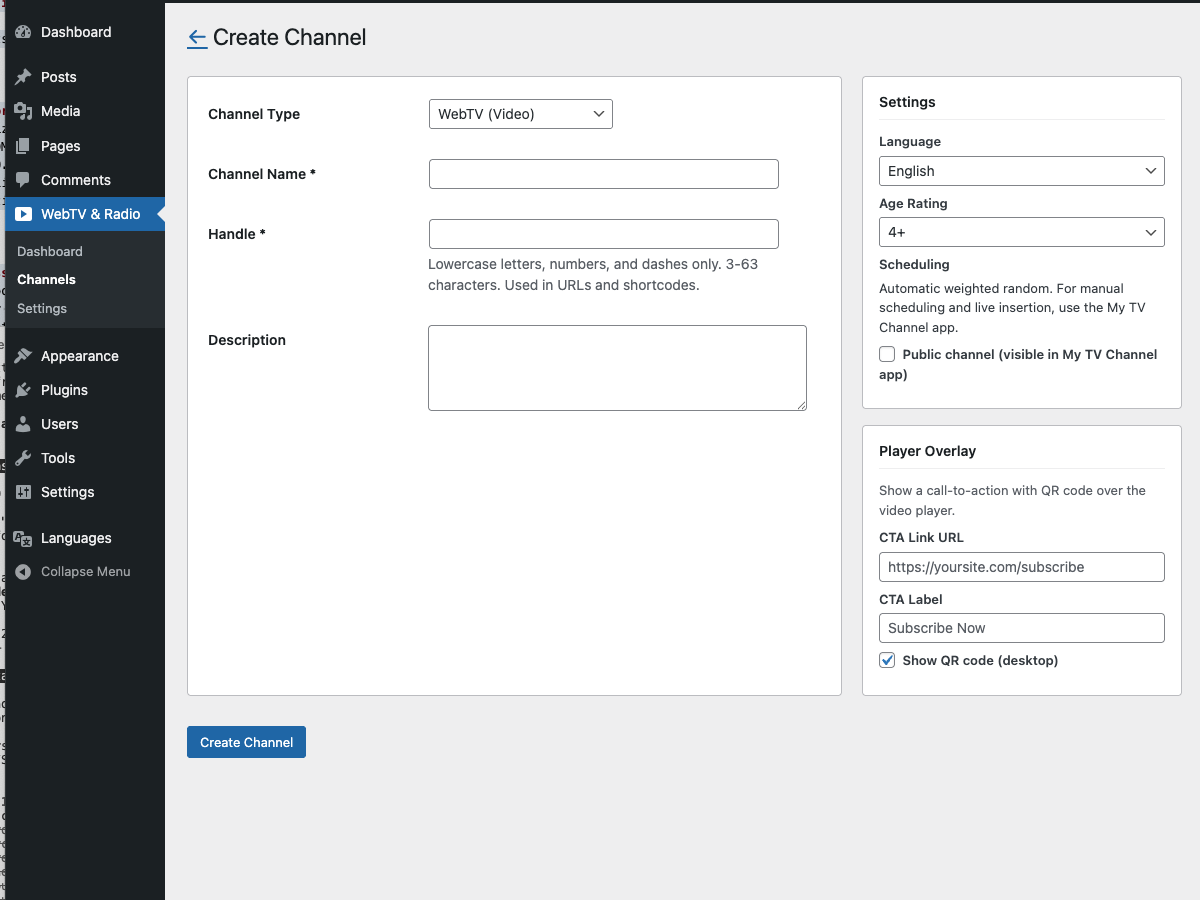
Channel creation form. Selecting "WebRadio (Audio Only)" as the type swaps the downstream player from video to audio.
One setting matters for distribution later. The Public channel checkbox. When ticked, the channel is listed automatically in the My TV Channel app ecosystem (iOS, iPadOS, tvOS, macOS, Web; Android in development). The app handles audio channels alongside video ones, which gives your listeners a dedicated "tune in" destination on their phone. Something a podcast feed in Apple Podcasts can't meaningfully replicate.
4. Upload your library
Click Manage Assets on the new channel and drag audio files onto the dropzone. MP3, WAV, FLAC, AAC, and M4A are accepted. The plugin chunks uploads so large files survive shared-host timeouts, then submits each file to iReplay.TV for transcoding into adaptive HLS at 160 kbps AAC.
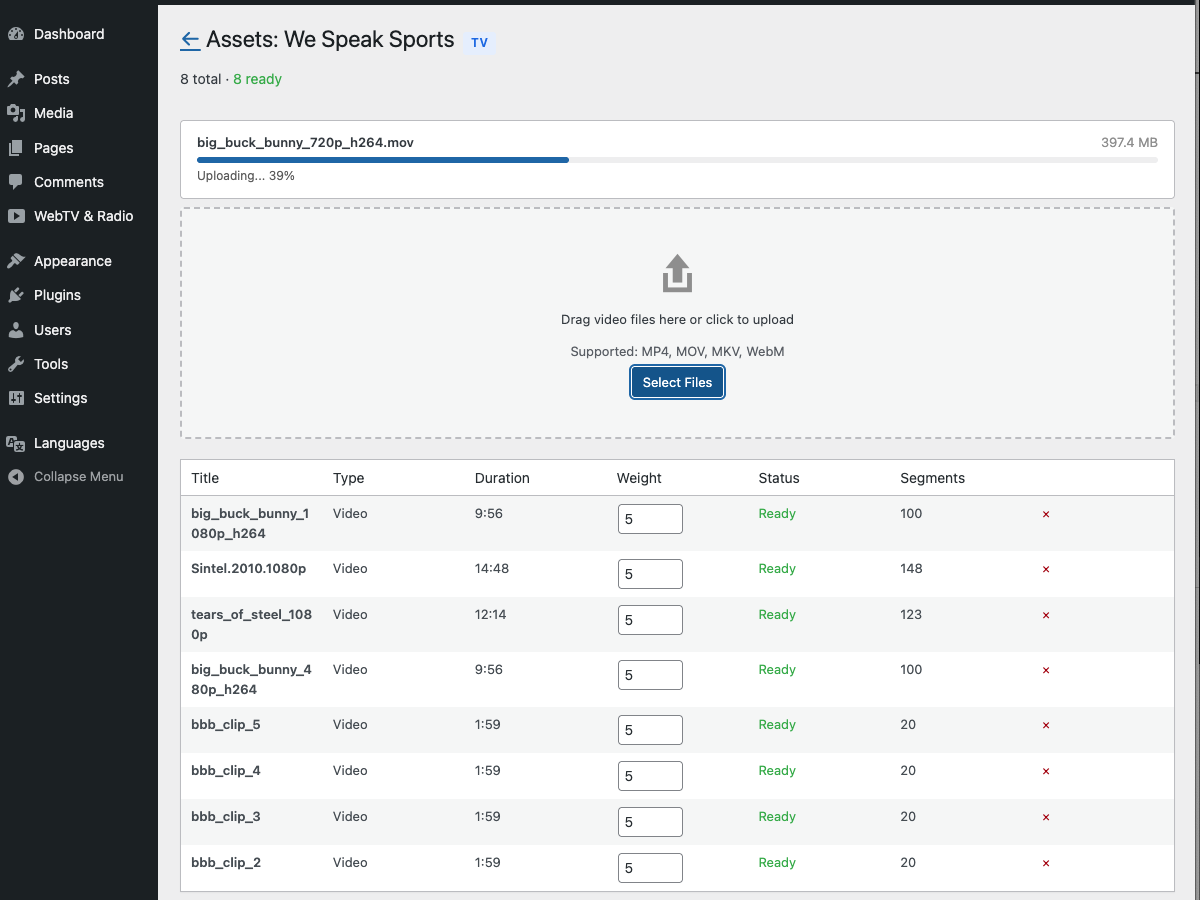
Chunked upload with per-file progress, transitioning through Uploading, Transcoding, Ready.
Each asset has a weight from 0 to 10. The scheduler picks the next item from your library based on these weights. An asset with weight 10 airs roughly ten times more often than one with weight 1. In practice, for a spoken-word station, your flagship daily show goes to ten. Evergreen interviews go to six or seven. Archival material goes to three. The curio pieces you like but aren't quite on-brand go to one: present in the rotation but rare.
Once you have four ready assets totalling at least fifteen minutes of runtime, the scheduler auto-generates a 48-hour lookahead and the channel goes live. Two listeners tuning in at different hours hear different orderings, nothing repeats too often, and you don't have to build a programming grid. For editorial spoken-word use cases (talk radio, news-in-rotation, a podcast-network 24/7 feed), weighted-random is enough to feel like a programmed station.
5. Embed the player
On any WordPress post or page, the shortcode:
[ireplay-radio channel="your-handle"]That's the integration. The player is a compact always-on "tune in" bar with the channel name, the now-playing track title, play/pause, and volume. Not a podcast episode picker. Listeners who land on your article see something that behaves like radio, not a podcast archive.
Refresh the published page and the station is airing. Listeners who land at different times hear different positions in the 48-hour window. You have a station.
Where it goes from here
Weighted-random scheduling is enough for most editorial 24/7 audio channels. If your station grows a real grid with a dayparted schedule, a morning drive show, a news-on-the-hour rotation, a themed Sunday evening slot, you'll want timeline control. iReplay.TV's companion app, My TV Channel, handles radio channels alongside video ones. A visual timeline, drag-and-drop show blocks, live-insertion support for guests joining via a phone connection, automatic failover to the shuffle if the live drops. It runs on iOS, iPadOS, tvOS, macOS, and Web today, with Android in development.
Ad inventory is the strongest argument for doing audio this way rather than via a podcast host. Podcasts pre-roll ads at the start of each episode. They're dynamically inserted by the platform's ad server, but they're skippable. Listeners press the 15-second skip button. Campaign fulfilment rates drop. Advertisers know this, and prices reflect it.
A linear radio stream is different. Server-guided ad insertion (SGAI) and Apple HLS Interstitials insert the ad into the playing stream, the same way a traditional FM station inserts a commercial. There's no skip button to press. The ad plays, or the listener changes station, which on a single-station tune-in is a much higher-commitment action than tapping a skip UI. This is the same format advertisers know from terrestrial broadcast, at internet-delivery economics. iReplay.TV supports SGAI and HLS Interstitials on the backend. Customers with ad-server integrations (Google Ad Manager, FreeWheel, SpringServe) enable it with a support request. The plugin is agnostic to how the stream is assembled upstream.
Sponsor overlays work for the subset of listeners who have the page open while the station plays. The plugin ships with one sponsor-overlay CTA per channel: a single link, always on, with an optional QR code for the mobile listener. It works for a "brought to you by" banner in the style of community radio, a permanent affiliate link, or a call-to-subscribe on your newsletter. Per-asset CTAs, so an interview links to its guest's book while a news roundup links to your subscription page, are the next feature on the plugin's roadmap.
Distribution to smart speakers, cars, and dedicated apps is straightforward because the plugin delivers a standard HLS stream. Anything that plays HLS audio plays your station. Apple CarPlay and Android Auto through a listener's podcast or radio app. Sonos and similar smart speakers via their custom-stream-URL fields. For a dedicated branded app with your station on the Roku audio grid, on an Apple TV, on a smart-speaker skill with your name, iReplay.TV builds white-label native apps through vendredi-app.
Membership and paywalls live outside the plugin. Stack it with MemberPress, Restrict Content Pro, or WooCommerce Memberships. The plugin delivers the stream, your membership tool decides who sees the page it's embedded on.
A note on music licensing for anyone considering a music station. Broadcasting copyrighted music, whether terrestrial FM, internet radio, or WordPress-hosted, requires the appropriate performing-rights and mechanical licenses in your jurisdiction: ASCAP/BMI/SESAC in the US, PRS/PPL in the UK, SACEM/SPPF/SCPA in France, GEMA in Germany, and similar bodies elsewhere. You are the publisher of your station's broadcast, so licensing is your responsibility. iReplay.TV provides the technology. The plugin and platform do not clear rights. For spoken-word content (news, talk, interviews, sports commentary, podcasts), no music licensing is typically needed.
The hour that changes what your audio is
If you've read this far, you're past the question of whether a 24/7 station matters for your audience. The question is whether you want it on your own site, where the URL is yours, listeners don't drop back into a competitor's recommendation algorithm, and no podcast host is taking a cut of the ad inventory you could be running yourself.
Install the plugin and create a free channel on ireplay.tv. Five concurrent listeners on the free tier is enough to upload your first batch of shows, try weighted-random scheduling, and check the player embed on a staging page. If it fits the way your station should work, paid plans start at 25 concurrent listeners and scale with your audience.
Running a video channel alongside your audio? Part one of this guide covered the video side: How to run a 24/7 WordPress TV channel (without YouTube). Same plugin, same workflow, different player. Worth reading if you've got archival interviews or talks that could live as video as well as audio.
FAQ
Can I broadcast copyrighted music?
Technically the plugin will stream whatever audio file you upload. Legally, broadcasting copyrighted music requires the appropriate performing-rights licenses in your jurisdiction (ASCAP/BMI/SESAC, PRS/PPL, SACEM, GEMA, and so on). You're the publisher, so rights clearance is your responsibility, not the platform's. If your station is spoken-word (talk, news, sports, interviews, podcasts), there's no music licensing to worry about.
How do I connect a live DJ set or a live host?
The plugin's v1 ships with VOD2Live: pre-recorded assets arranged in a rolling schedule. True live insertion (a host joining via a real-time audio feed from OBS, Radio.co, rtpMIDI, or similar) is handled by the My TV Channel companion app's timeline feature, which swaps out the scheduled segment for a live feed and drops back to VOD when the live ends. If live is central to your station, the companion app is the piece you want.
What's the catch on the free tier?
Five concurrent listeners. A niche evening talk slot or a launch-phase station with a small trusted audience might fit. A publisher with an existing audience won't, and you'll land on a paid tier before real traffic hits. The free tier is built for setup, testing, and small personal projects. Be realistic about the ceiling.
Can listeners tune in from a mobile app?
Yes, via three paths. The plugin delivers a standard HLS audio stream that any podcast or radio app can play if you paste the URL. If you tick the Public channel option, your station is listed in the My TV Channel app ecosystem (iOS, iPadOS, tvOS, macOS, Web today; Android in development). For a dedicated branded app with your station identity (on iOS, Android, CarPlay, Android Auto, or smart-speaker skills), vendredi-app builds white-label native apps.
What bitrate do you transcode at?
A single 160 kbps AAC variant, which is high-fidelity for spoken-word and acceptable for most music. Multi-bitrate adaptive variants aren't currently emitted for radio channels because audio is small enough that the listener's connection almost always sustains the single bitrate. If you need a specific higher-bitrate profile (320 kbps, FLAC-quality streaming, spatial audio), contact support.